Closings and delays, the moment they’re announced.
Closures watches your local news stations and puts every closing, delay and early dismissal they report in one feed, from schools and churches to libraries, government offices, transit and more.
Free for iPhone and iPad · No account · No tracking · No Ads
Copenhagen Central School
now
2-Hour Delay. Students and staff. Buses on snow routes. Breakfast will not be served.
Know what’s closed before anyone else.
No more refreshing a TV station’s website at 5 AM, or waiting for the ticker to scroll closings across the bottom of the screen. Closures finds the stations that cover your area and keeps watch for you.
feed.png
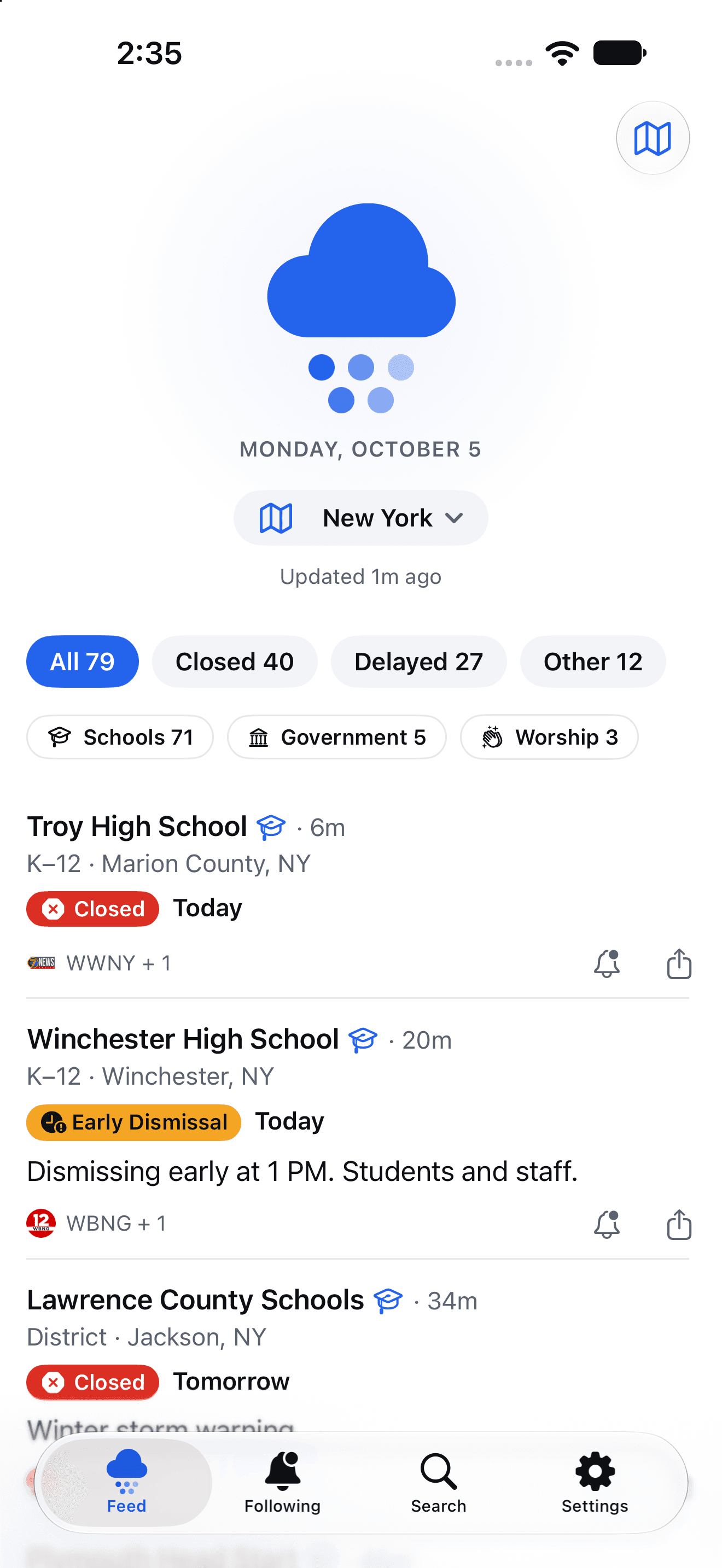
Every closing near you, in one feed
See what’s closed, delayed or dismissed early, newest first. Switch between Near Me, a single state or Nationwide, and filter by schools, worship, libraries, transportation and more.
following.png
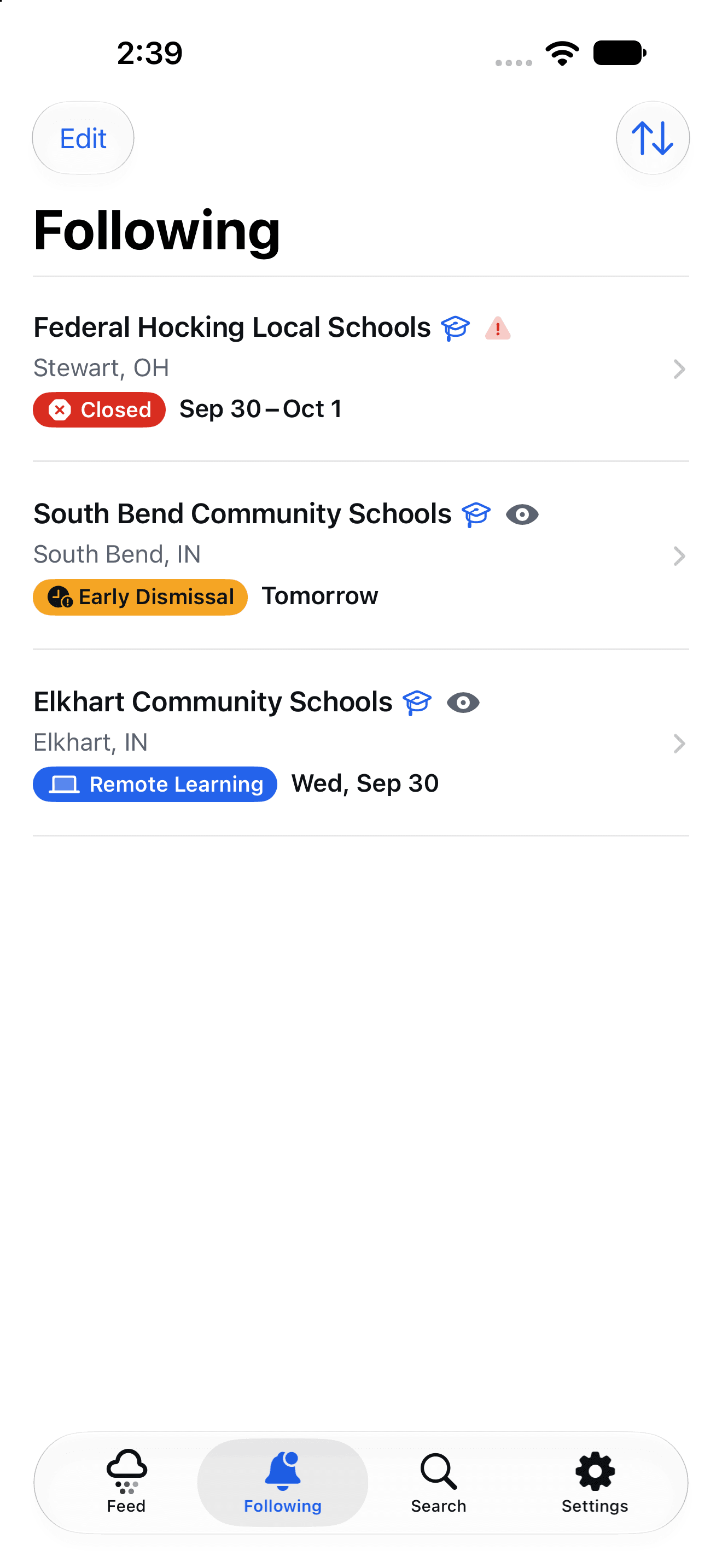
Follow the places you care about
Follow your school, your church, the library or your office and get a notification as soon as their status changes, whether it’s a closing, a delay or back to normal.
organization.png
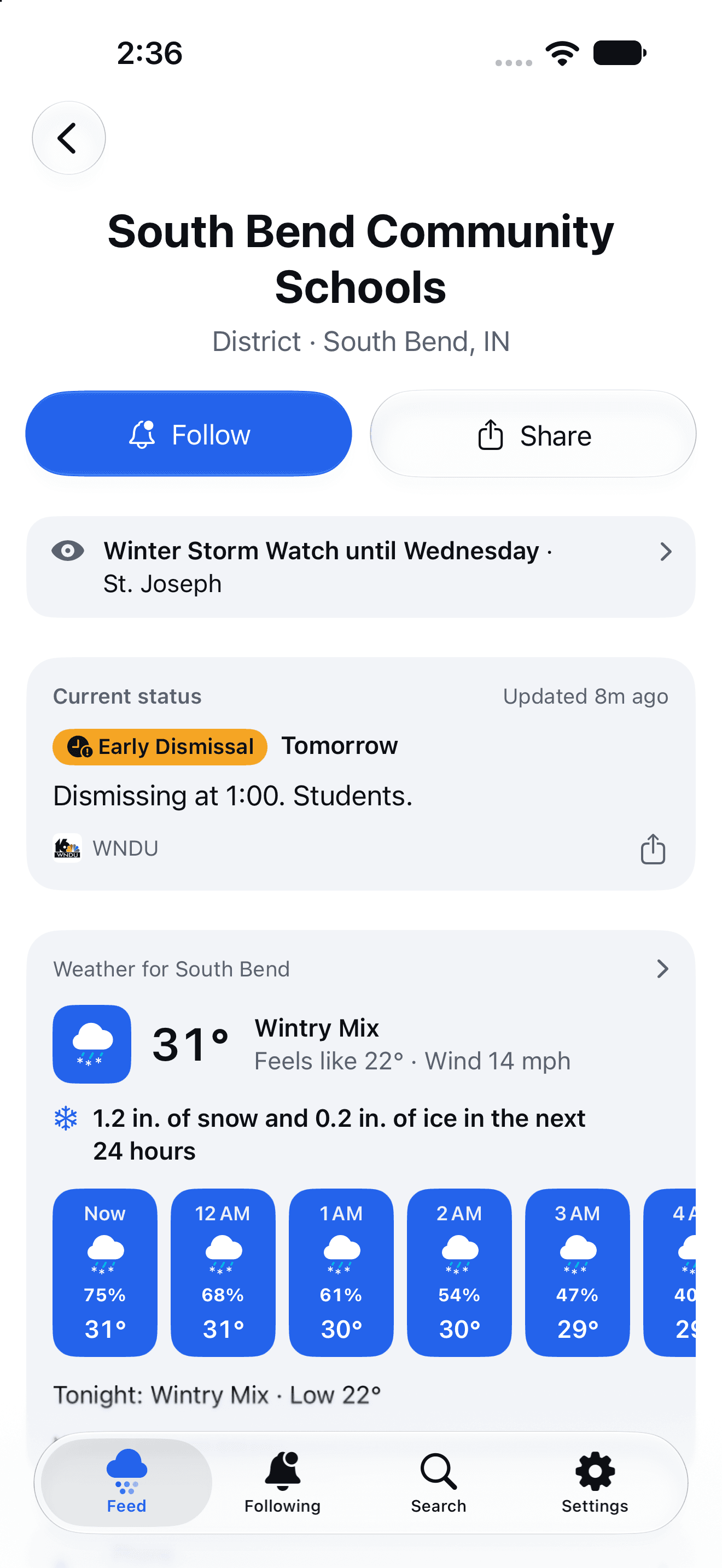
The full story, with the weather behind it
Each organization’s page shows its current status, its history and who reported it. When weather is the reason, you’ll see the forecast, snow, ice and wind chill for that county.
Made to be checked half-asleep.
Clear statuses, plain language and nothing to sign up for, so you can check and get back to bed. It follows your iPhone’s Light and Dark Mode, and you can pick one look in Settings.
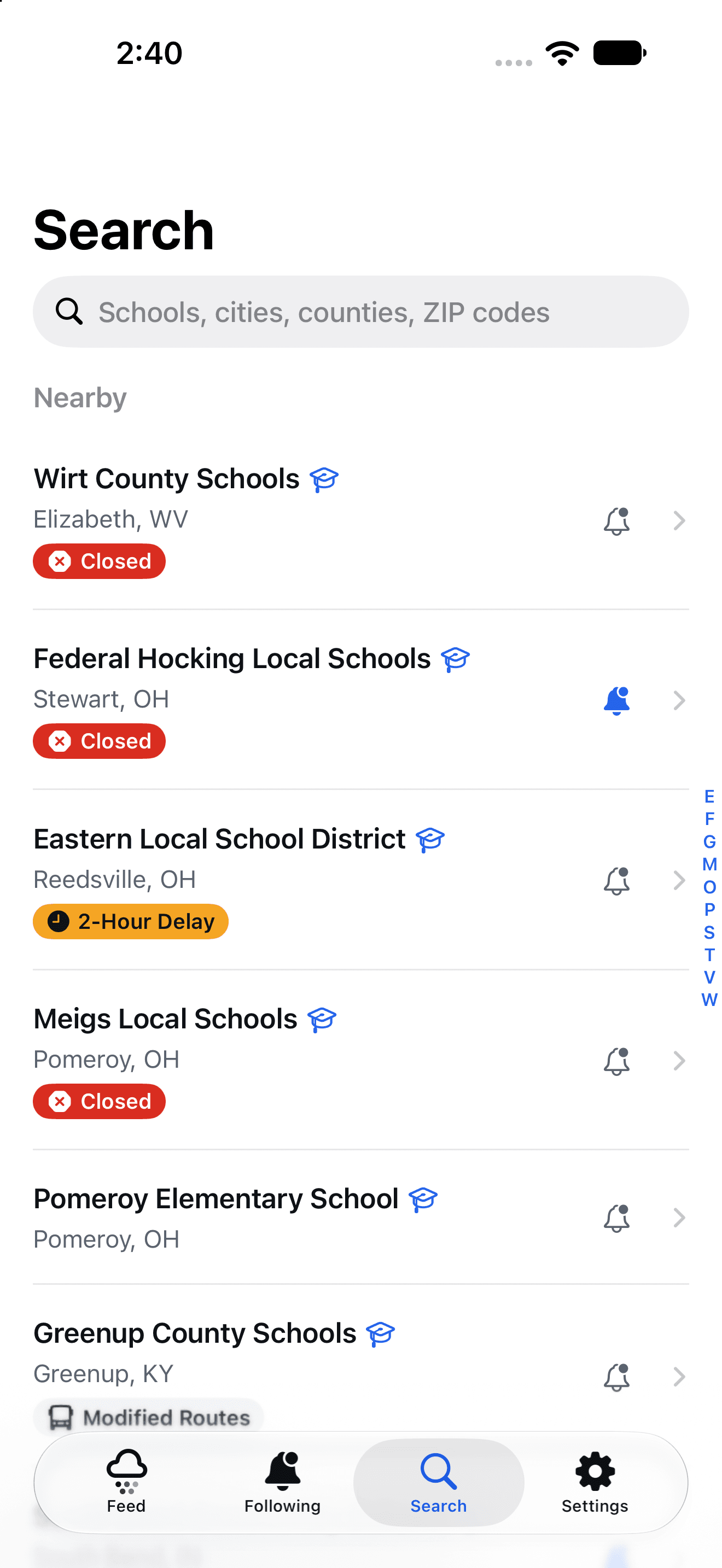
search-night.png
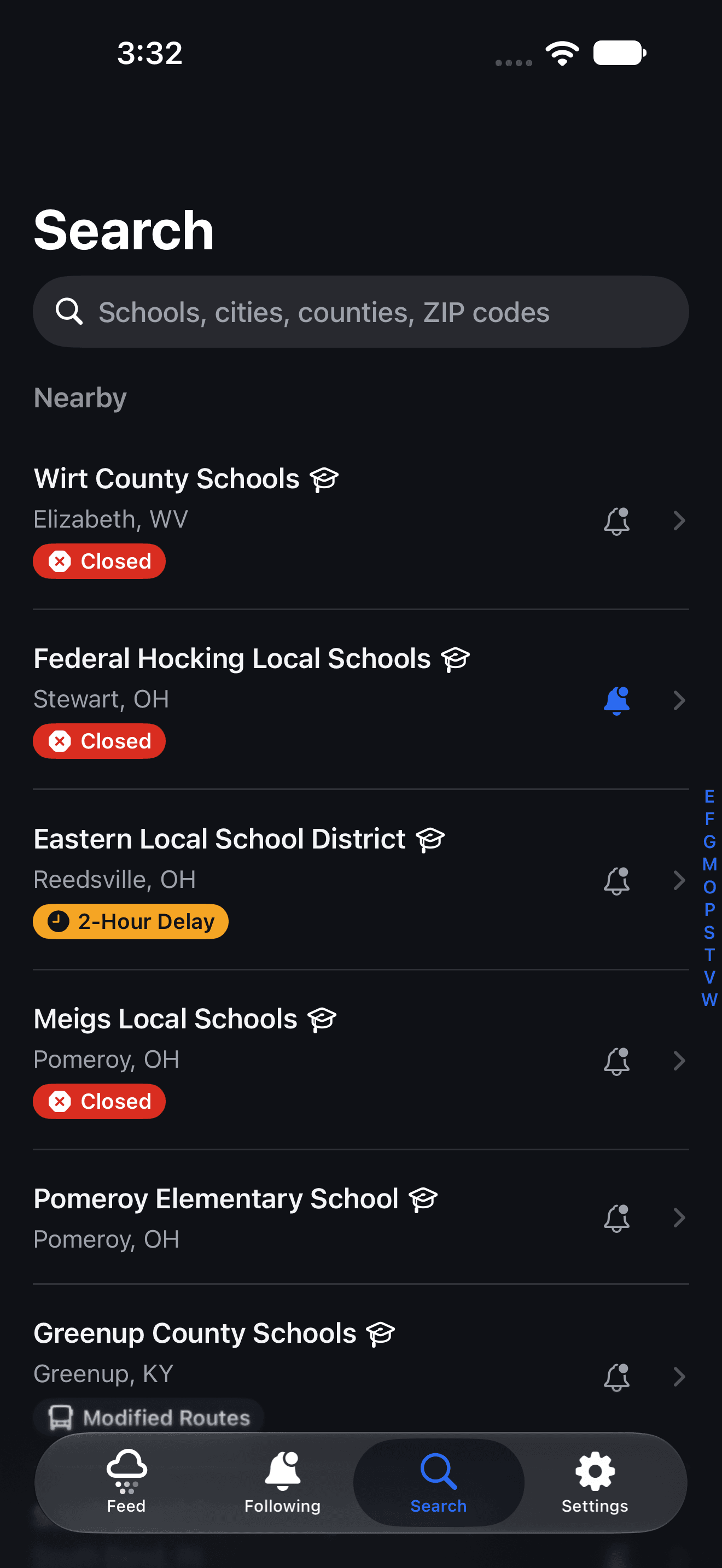
Find any place in seconds
Look up a school, church, library or office by name, or search a city, county or ZIP code. Nearby places come first, with their status right in the list.
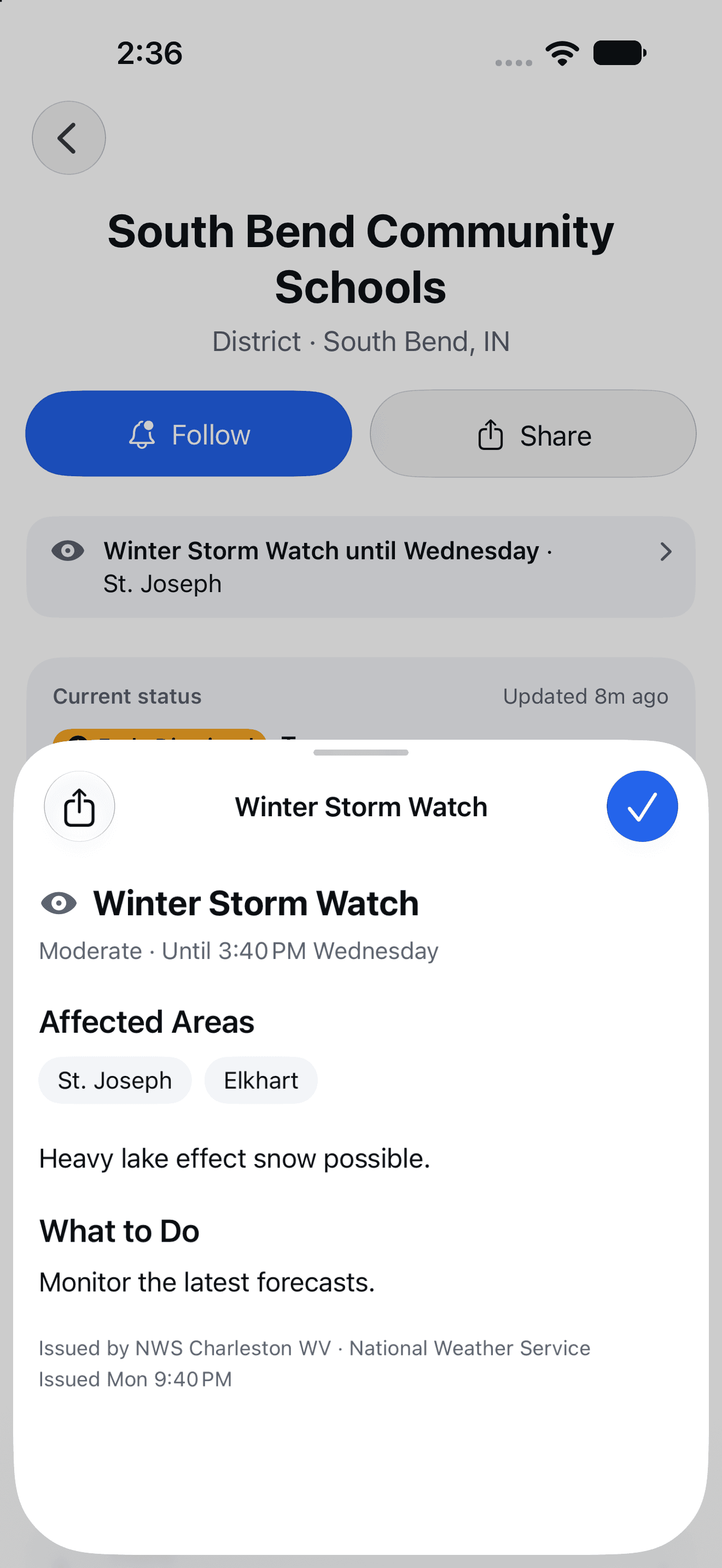
weather-alert-dark.png
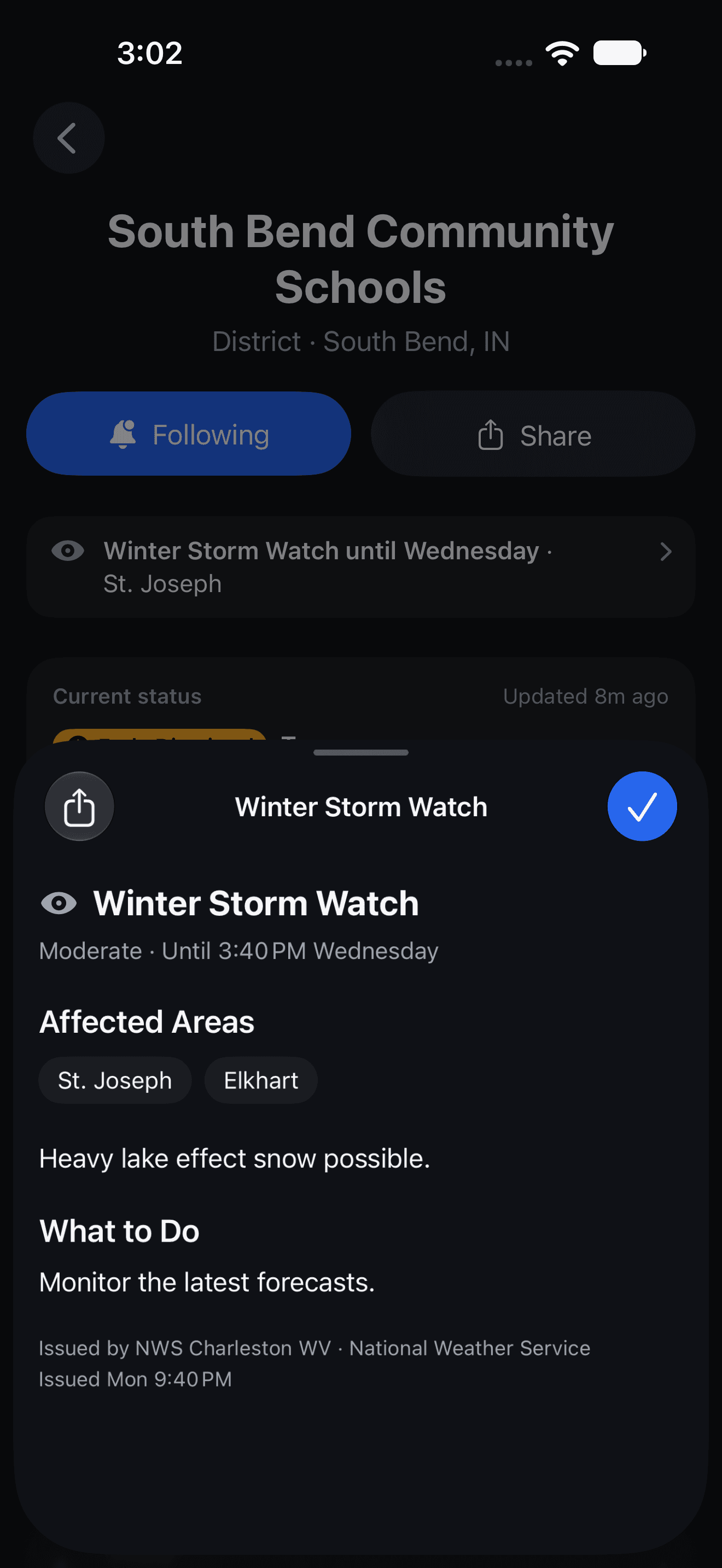
Weather alerts in plain language
Tap a National Weather Service alert to see the areas it covers and what to do about it.
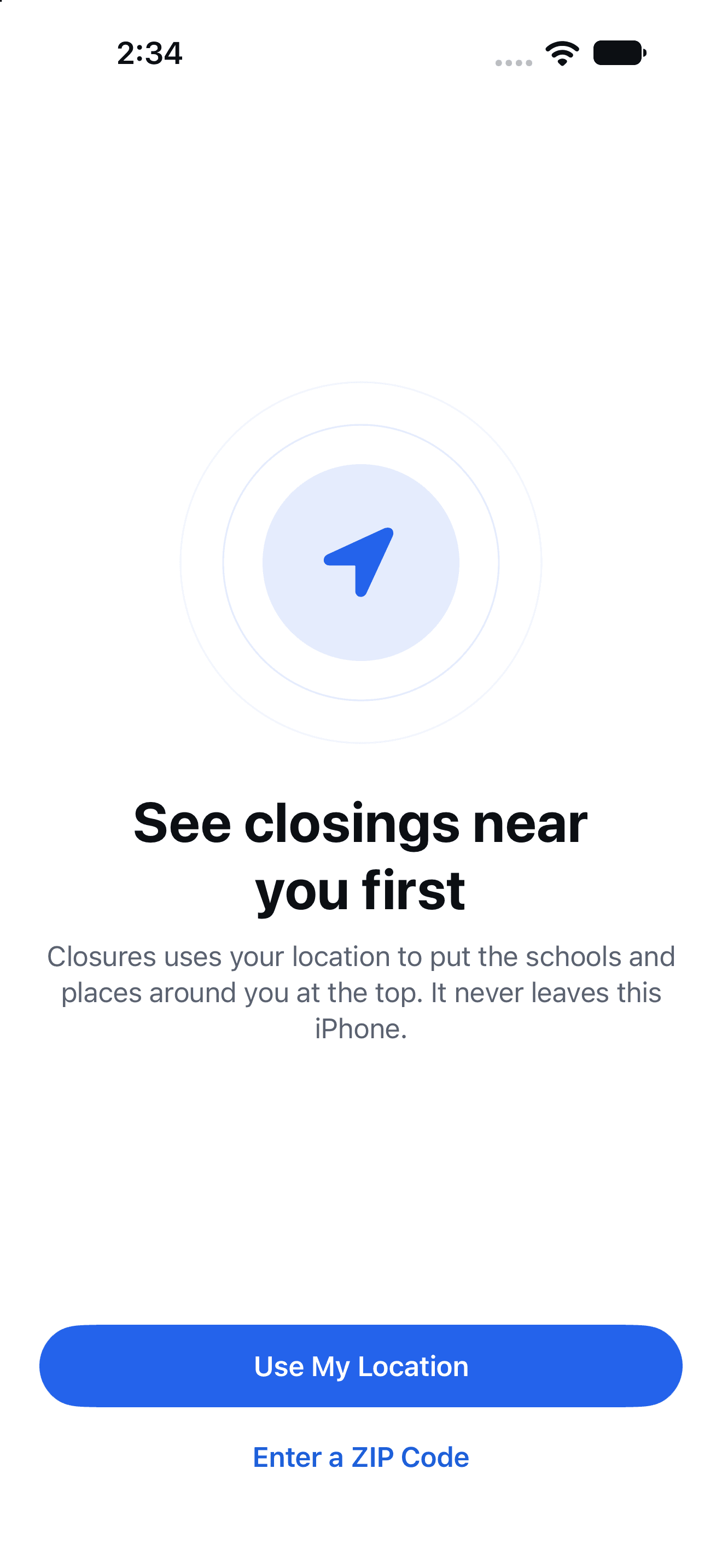
onboarding-location-dark.png
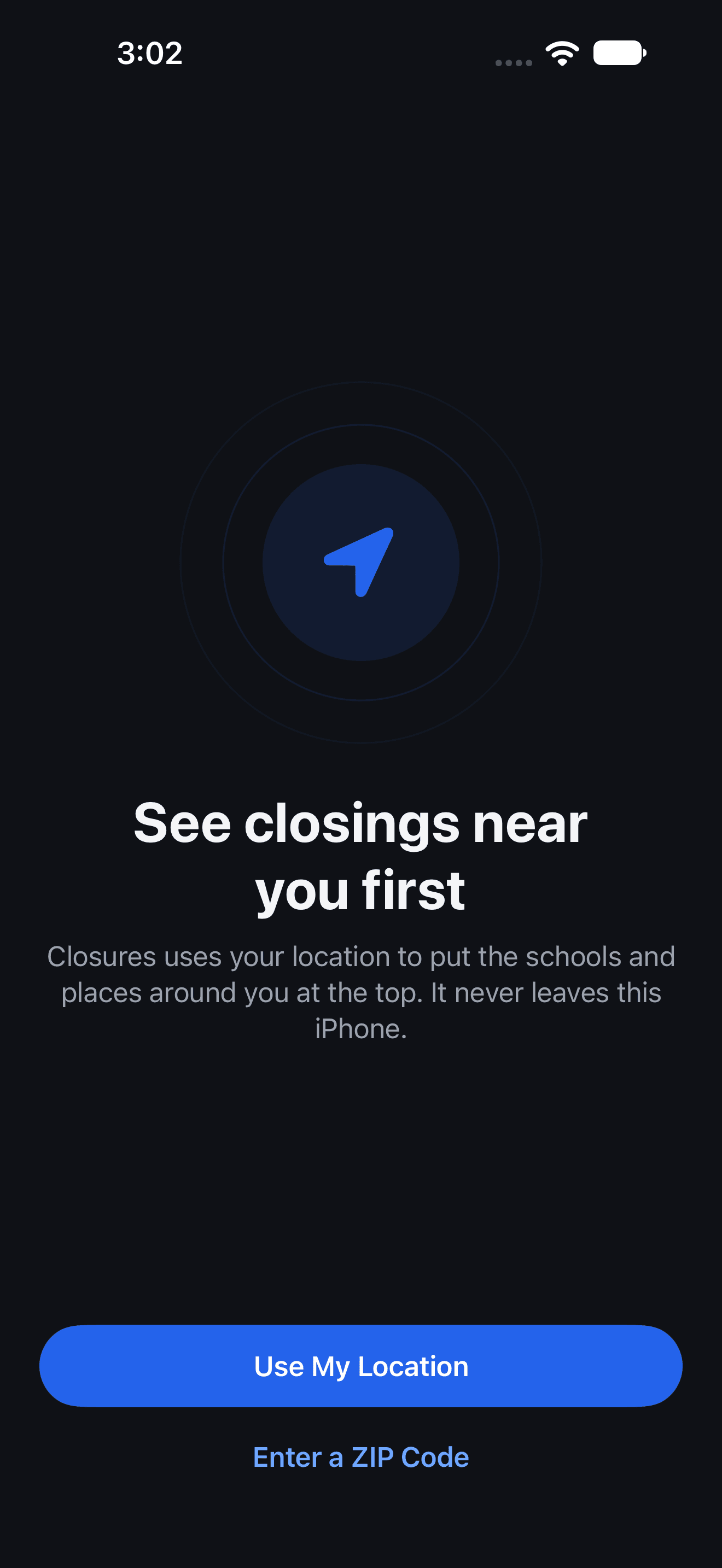
Ready before your coffee is
There’s no account to make. Share your location, which never leaves your iPhone, or type in a ZIP code.
Know what’s closed without opening the app.
Closures tells you with a notification the moment a status changes, and with widgets on your Lock Screen and Home Screen.
notification.png
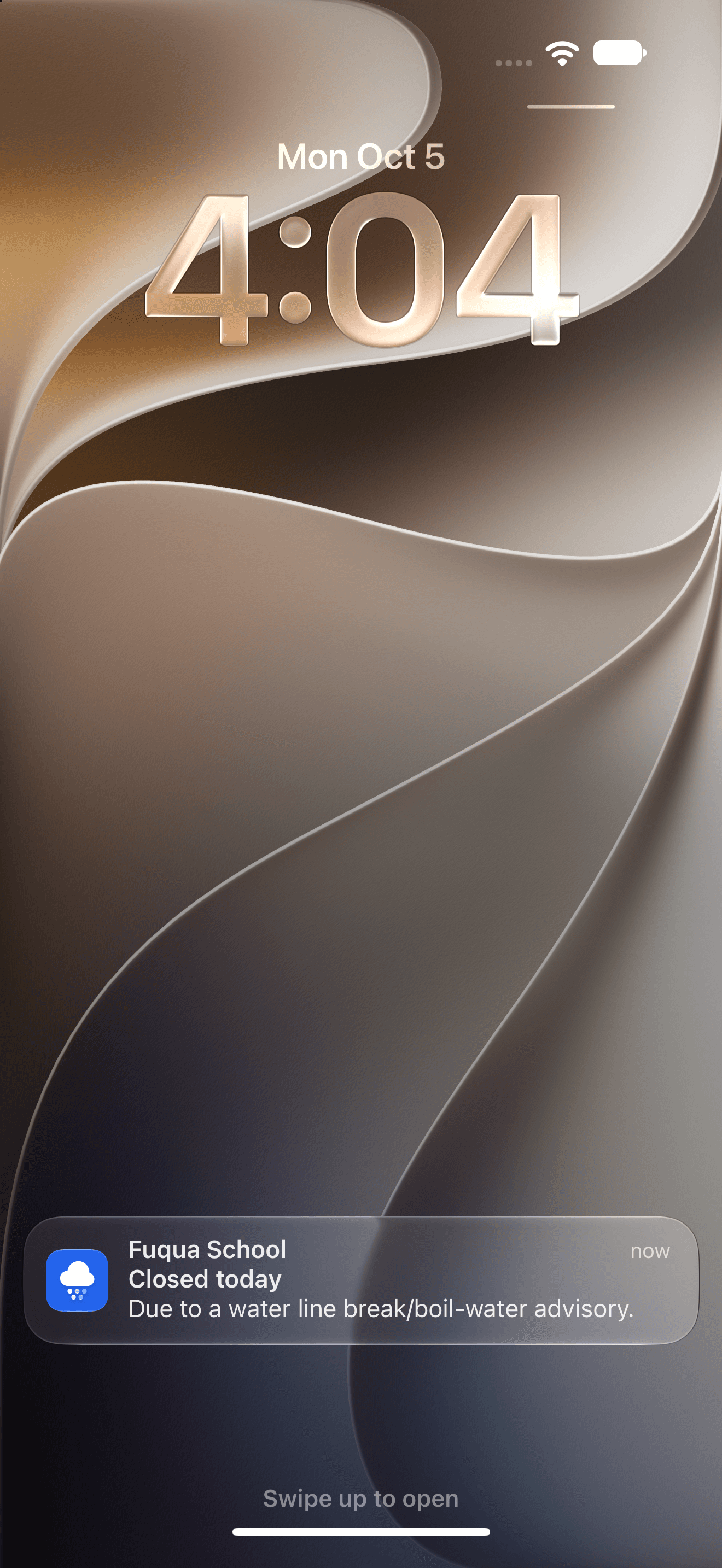
Notified the moment it changes
Follow a school, church, library or workplace and you’ll hear about a closing or delay as soon as its status changes, with the reason right in the notification.
widget-near-me.png
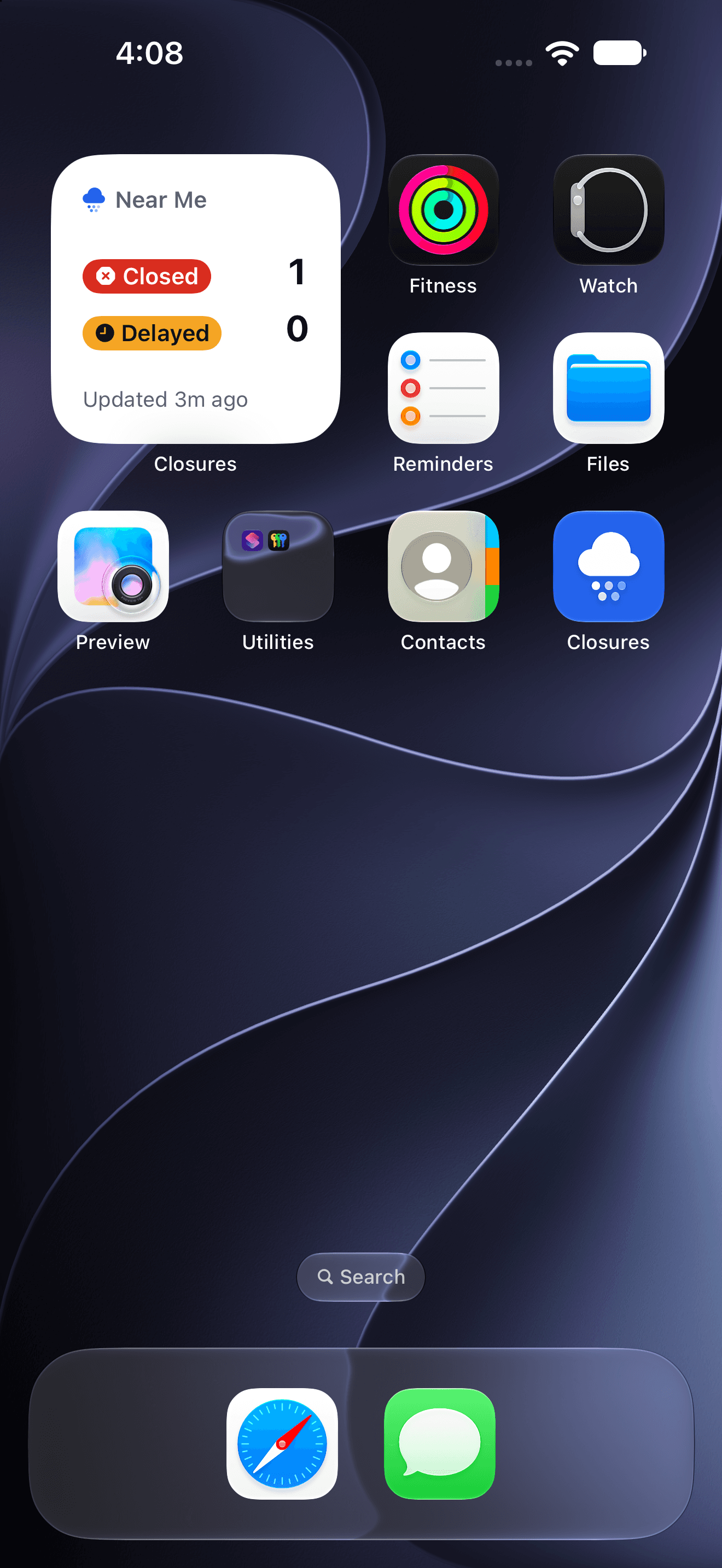
Near Me, at a glance
A Home Screen widget counts what’s closed and delayed around you, and shows when it was last updated.
widget-following.png
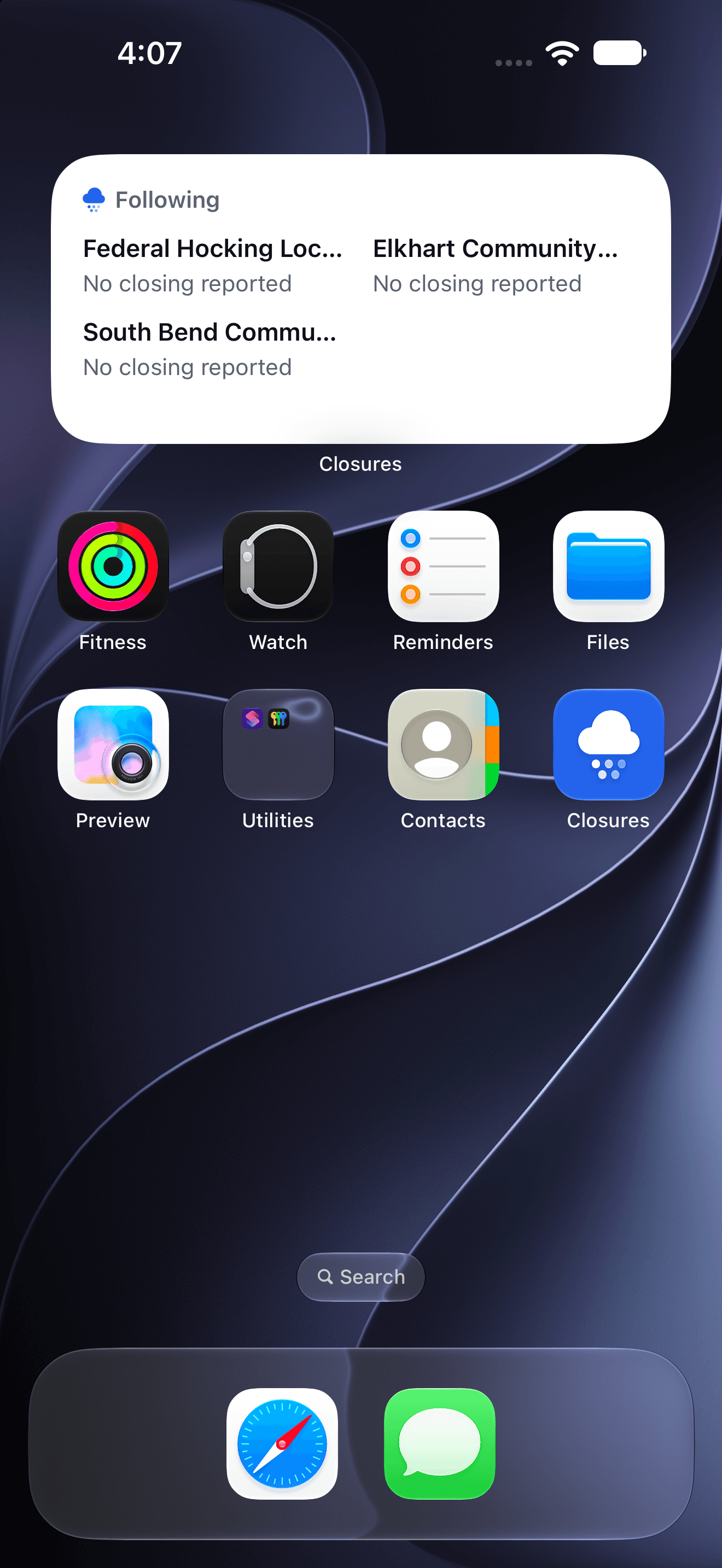
The places you follow
Keep your school, your church, your office and anywhere else you follow on your Home Screen, in a small or medium widget.
Share the official word.
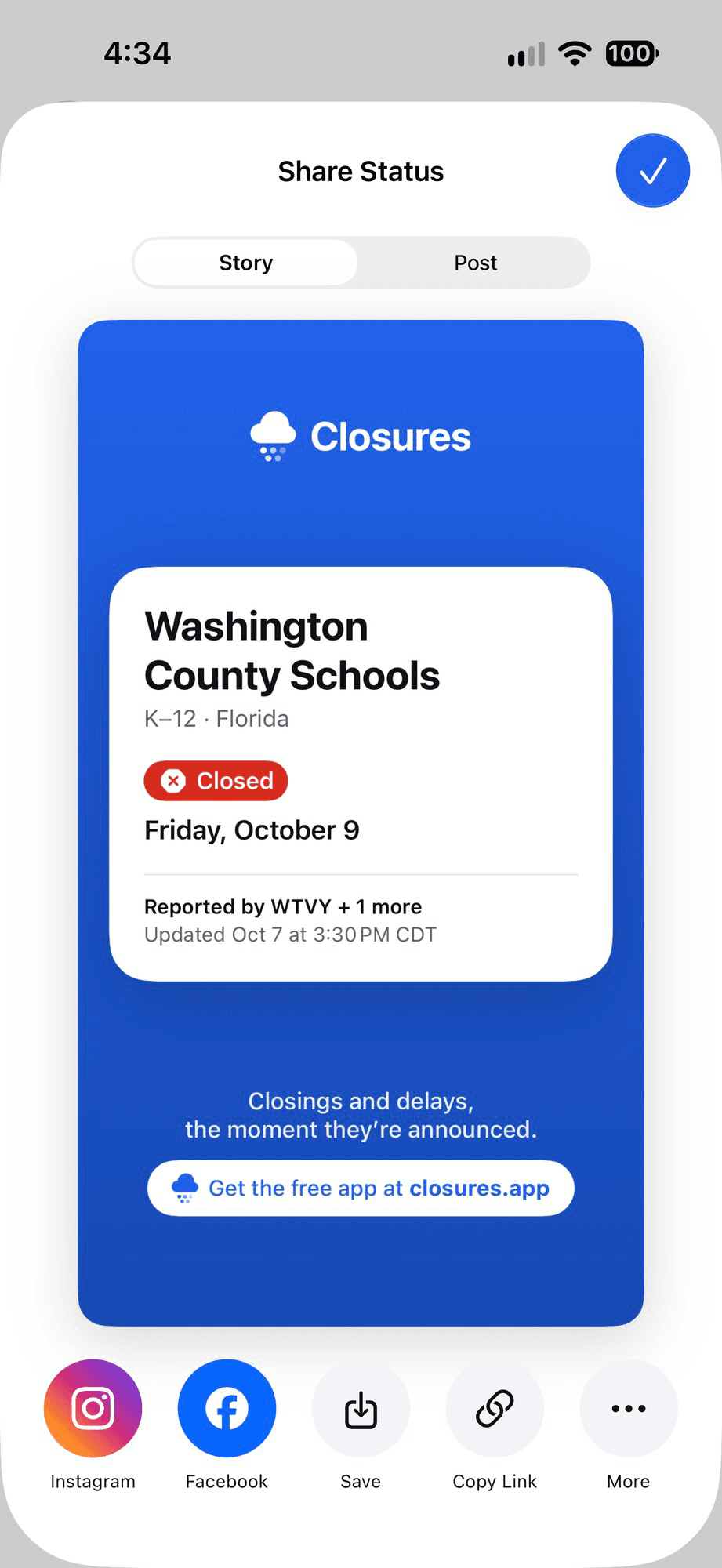
When a closing is announced, word spreads fast, and not always correctly. Share a place’s official status as a card made for social media, so friends and family know exactly where things stand.
- Made for Stories and posts
- Pick a tall card for an Instagram Story or a shorter one for a feed post, sized the way each one expects.
- Instagram and Facebook in a tap
- Share straight to either one, save the image, copy a link to the place’s page, or send it anywhere else.
- The source, right on the card
- Every card shows the date, the station that reported it and when it was last updated, so nobody has to take your word for it.
share-status.png
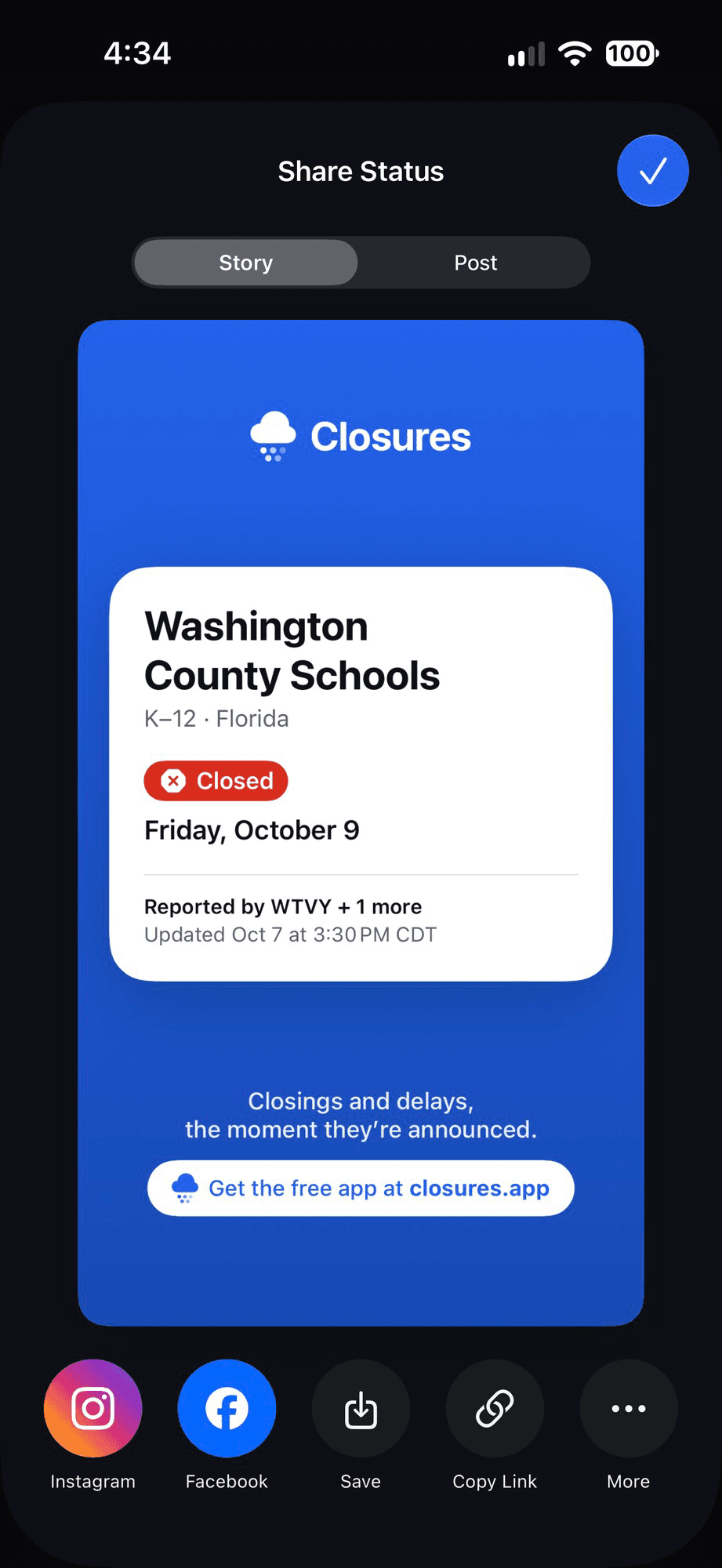
share-status-dark.png
Built for snow days, storm days and every day.
Closures is fast when everyone’s checking at once, quiet when nothing’s happening, and honest about where its information comes from.
Weather alerts
Active National Weather Service warnings for your state show on the feed and on the pages of the places they affect.
Past closings
Each place keeps a history of its closings and delays, including how many days it was closed or delayed this season.
Near Me, privately
Closures sorts by distance on your device. Your location is never sent anywhere, and a ZIP code works just as well.
See the source
Every post shows the news station that reported it, so you always know where the information came from.
iPhone, iPad and iPhone Duo
Runs on iOS 26 and later. On iPhone Duo, organization pages spread across the fold and controls stay clear of it.
Always up to date
Stations are checked frequently, and new posts appear without you lifting a finger.
Join the beta.
Free, with no account to create. Tomorrow’s closings on your iPhone or iPad before the morning news.
Scan to join the beta
Point your iPhone’s camera here to open TestFlight.
Frequently asked questions
If you have anything else you want to ask, reach out to us.
Is Closures free?
Yes, and not just during the beta. Closures is free to download and use, and there’s no account to create.
Where does the information come from?
From the closings pages of local TV news stations. Closures checks them frequently, and every post shows the station that reported it.
Is Closures just for schools?
No. If an organization tells its local news station it’s closed or delayed, it can show up in Closures. That includes schools, churches, libraries, government offices, transit and more.
What devices does it work on?
iPhone and iPad running iOS 26 or later, including iPhone Duo, where organization pages spread across both sides of the fold.
Is my area covered?
Closures covers the areas served by the stations it checks today, and more are added all the time.
Do you track my location?
No. If you allow location access, Closures uses it on your device to show nearby closings first. It’s never sent to us. You can also enter a ZIP code instead.
How do notifications work?
Follow an organization and Closures will notify you when its status changes. You choose which kinds of updates you get in Settings, and you can turn them off at any time.
When will Closures be on the App Store?
Closures is in a public beta on TestFlight right now, so you can get it today. It’s free now and will stay free on the App Store.